
🦴 Bone Visualizer Tool
Complete documentation for Bone Visualizer in Animation Control Hub. Explore hierarchies, Mirror Mode, and IK directly in Scene View.
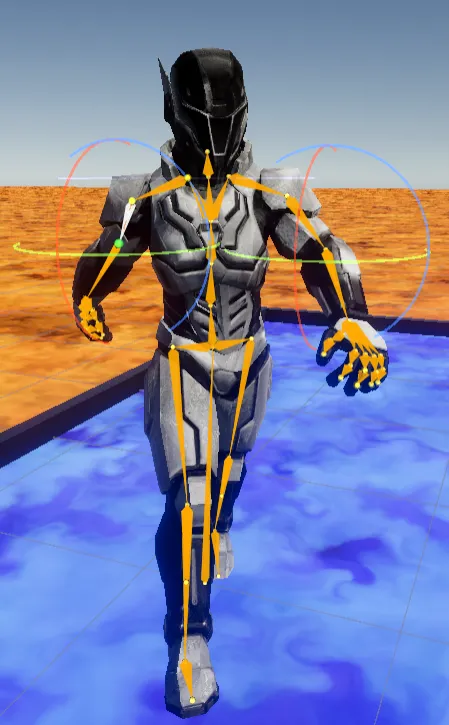
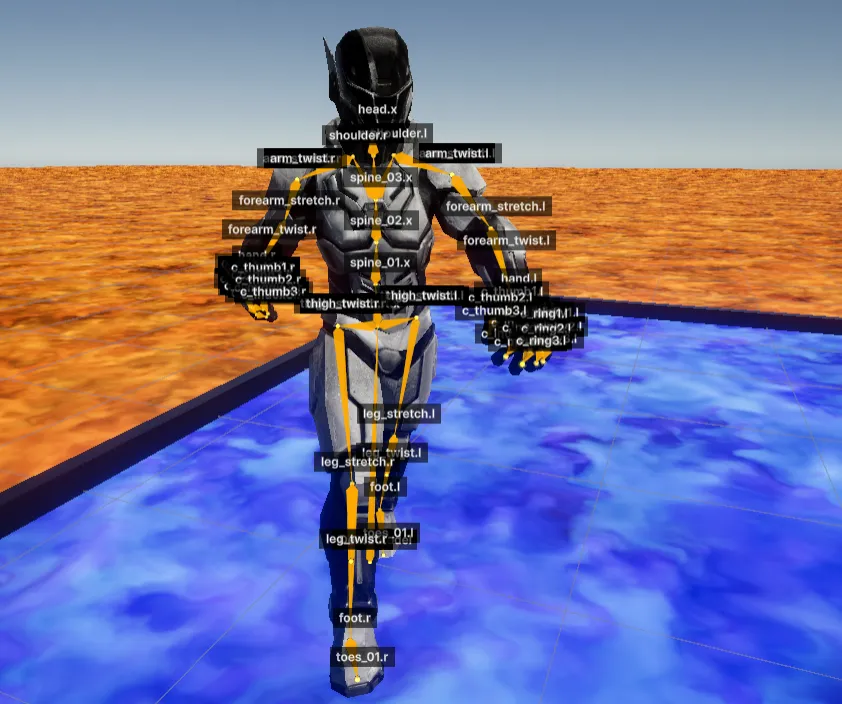
Bone Visualizer Tool is an advanced component inside the utility panel designed to display, explore, and manipulate your character skeleton (rig) directly in Scene View during animation preview. This is essential to verify deformation, root bones, and hierarchy behavior against expected mechanics.
Main features
Section titled “Main features”1. Visualization and smart filters
Section titled “1. Visualization and smart filters”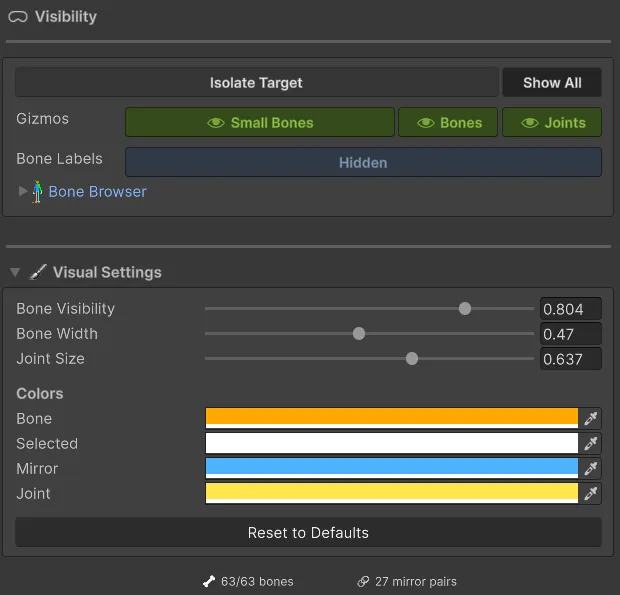
- Scene projection: Draws physical lines (bones) and spheres (joints) over your model in X-Ray mode, preventing the mesh from blocking visibility.
- Hide small bones (
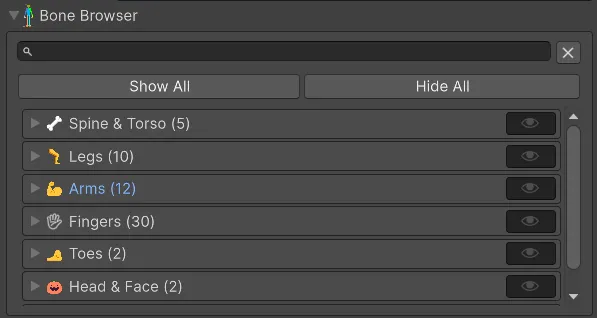
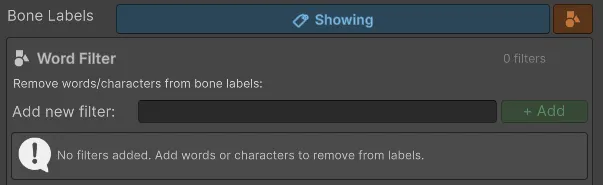
Show Small Bones): To avoid visual clutter in hands or face, you can disable tiny bones (fingers, eyes, jaw, etc.) with one click. - Text/exclusion filters (
Word Filter Mode): If your character has hundreds of bones, use search or word rules to show/hide full branches. For example, add twist to hide repetitive root-twist chains. - Visual customization: Adjust colors, bone width (
Bone Width), and joint size (Joint Size) in bulk.
2. Synchronization and multi-edit
Section titled “2. Synchronization and multi-edit”When clicking a drawn bone or selecting it from the sub-panel:
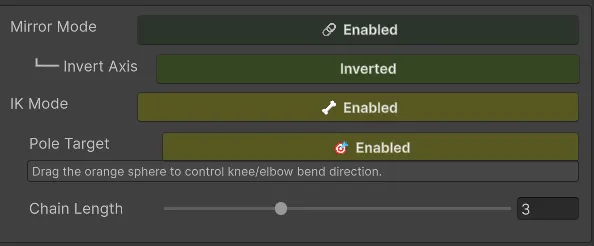
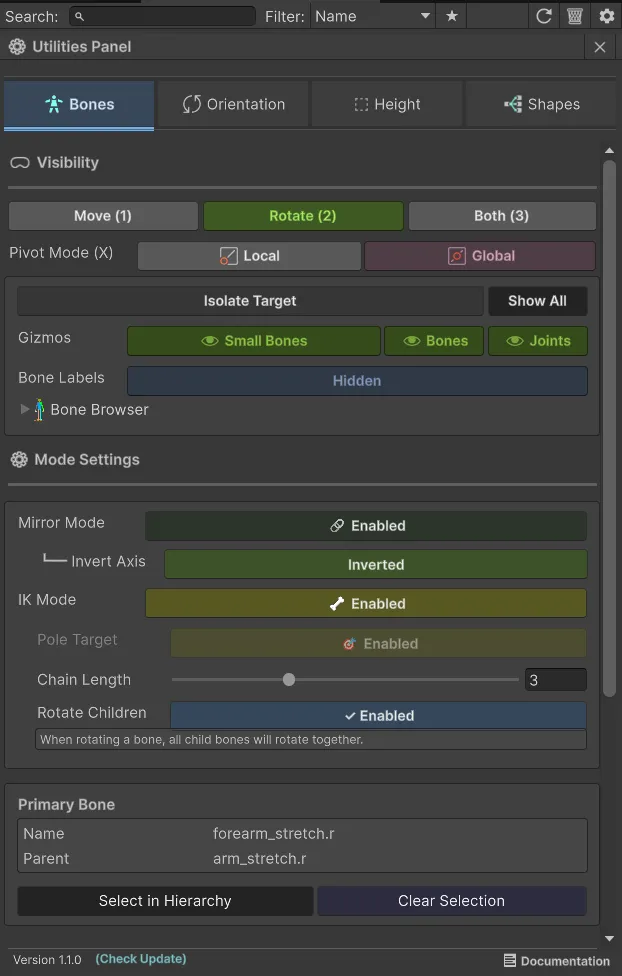
- Mirror Mode: When selecting a bone (for example
LeftArm), the system automatically detects its counterpart (for exampleRightArm) using common naming conventions (_L/_R,Left/Right). You can useInvert Mirrorso rotational changes apply symmetrically. - Sync Multi-Selection: If you select multiple bones from the list, enabling this applies base movement/rotation to all at once. Useful for closing a hand by selecting all knuckles.
3. Temporary IK system (inverse kinematics)
Section titled “3. Temporary IK system (inverse kinematics)”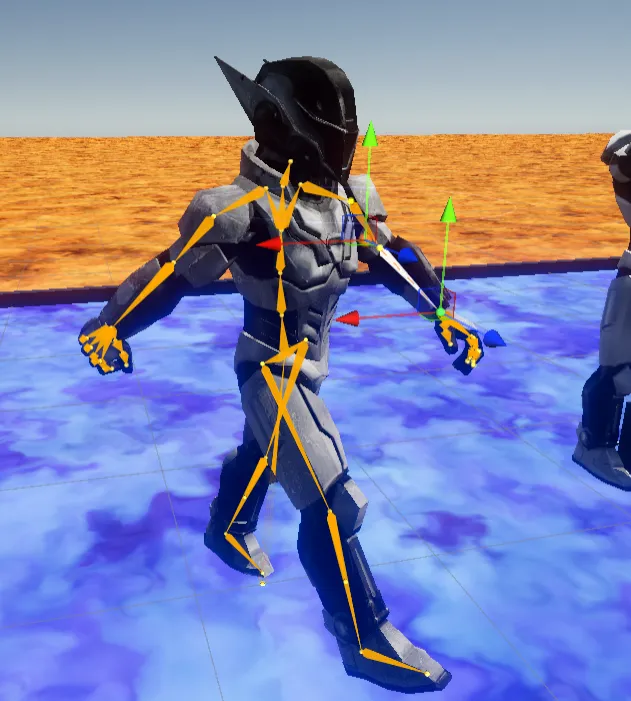
- IK posing: Enables IK control to alter positions, not only simple rotations. Move a character hand to another point and the system computes correct elbow and shoulder movement in real time.
- IK Chain Length: Configures how many parent bones are affected upward in the chain (for example value
3= hand -> forearm -> arm). - Pole Target (
IK Show Pole Target): Draws a visual direction pivot you can move to force knee/elbow bending direction.
4. Transform settings and manipulator
Section titled “4. Transform settings and manipulator”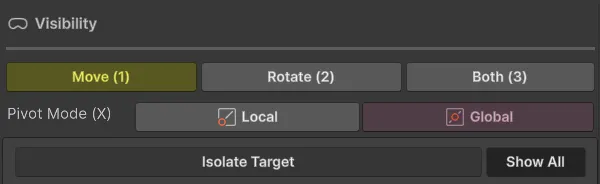
- Pivot management (local vs global): With
Use Local Pivot, decide whether rotating hips/arms should use global world angles or current local twisted orientation. - Quick tool selector (
Tool Mode): Switch quickly between Move, Rotate, or both manipulators on screen.