
User Guide
A comprehensive extension that helps you keep your interface files clean and your scripts properly prepared to work in Unity.
🚀 Quick Start
Section titled “🚀 Quick Start”To start using your extension and benefit from better formatting and script control:
UXML and USS Formatting
Section titled “UXML and USS Formatting”Your files with .uxml or .uss extensions now have direct formatting support within the development environment.
-
Open any file with a .uxml or .uss extension.
-
Right-click and select Format Document.
-
Alternatively, use your editor’s shortcut: Ctrl + Shift + P -> and type “Format Document”.

⚙️ Scripts Initialization
Section titled “⚙️ Scripts Initialization”When you migrate a UI Toolkit project from one editor to another, or you have just created your UI directory structure, the scripts need to be adjusted.
-
Go to the Activity Bar (Sidebar) in your Visual Studio Code.
-
There you will see a new exclusive icon for the UIToolkit Essentials extension.
-
Click on the red button that says ▶ Initialize Scripts.
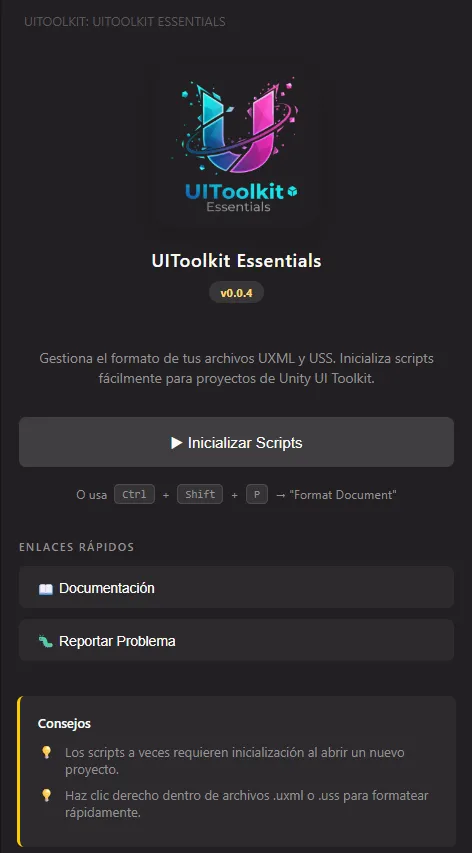
-
The window will indicate the process through text on the button showing the status: ”✅ Scripts Started!”.