📍 Orientation Tool
Align, center, and automatically control avatar orientation on grid in Animation Control Hub.
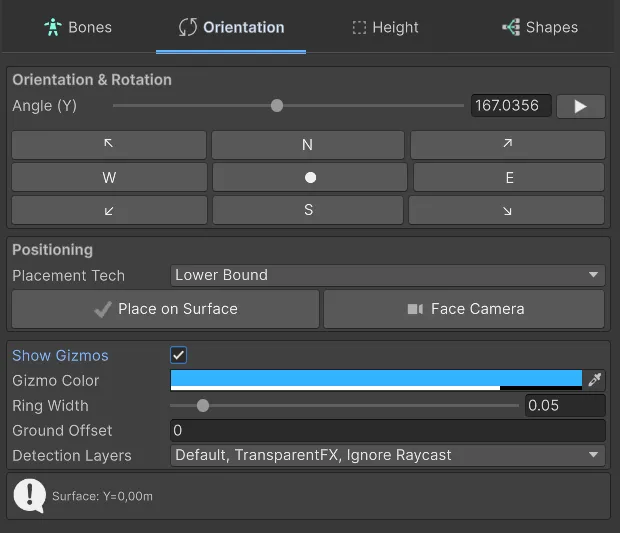
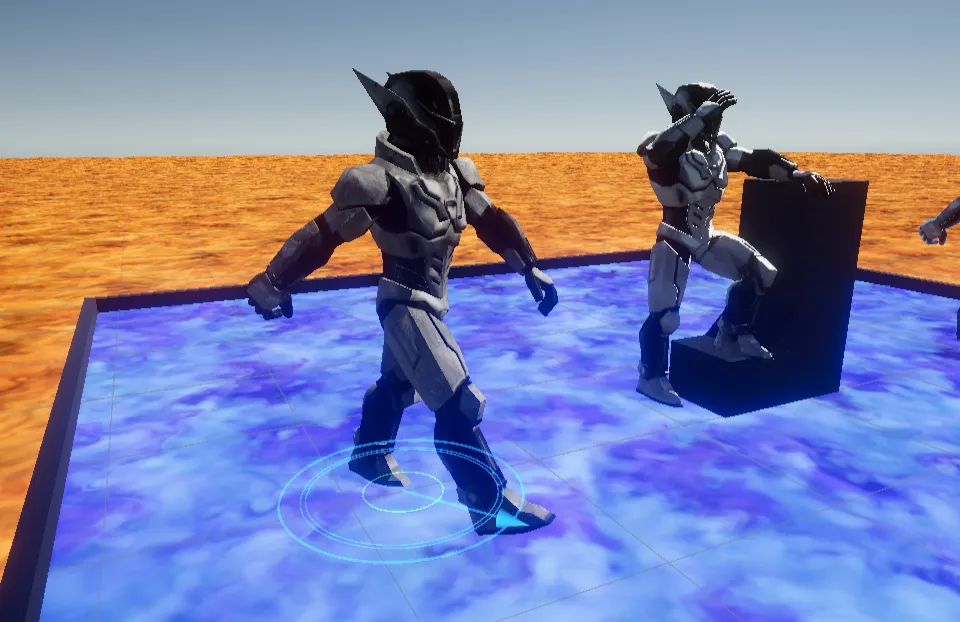
Orientation Tool is an essential helper tool for adjusting and testing avatar position, grid relation, and camera-facing rotation while a clip is playing. It shines when solving uncertainty from complex translation animations (root motion), ground alignment, or characters with pivots offset by artistic setup.
Advanced features and use cases
Section titled “Advanced features and use cases”1. Environment auto-placement (Place on Surface)
Section titled “1. Environment auto-placement (Place on Surface)”When a character starts floating, clipped into floor, or below collision point, Place on Surface corrects these anomalies by calculating base position while ignoring defects:
- Raycast snap: Casts an invisible ray from avatar height to find nearest floor and adjusts instantly.
- Surface Layer Mask: Avoid placement bugs by filtering collision layers that are not valid ground (for example enemies or water).
- Constraint Mode (Pivot vs Lower Bound):
- Pivot: Aligns directly using GameObject origin and floor. Recommended for programmer testing with Character Controller.
- Lower Bound: Automatically measures lowest rendered mesh point (for example shoe sole during animation) and forces it to be the ground contact zero, ignoring internal root position. Useful when artist export setup is off.
2. Auto-rotation and panoramic inspection
Section titled “2. Auto-rotation and panoramic inspection”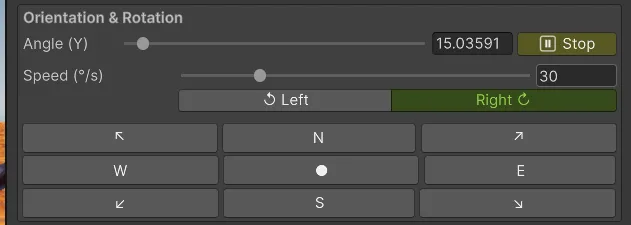
- Dynamic auto-rotation: Instead of manually orbiting Scene view to inspect back-side movement, enable auto-rotate and the character spins smoothly like a turntable (with direction and speed controls).
- Viewport follow (
Look At Camera): Forces character front/face to track your editor viewport direction frame by frame, regardless of root-motion rotation in the animation itself.